


Are you ready to bring your design ideas to life with thread and fabric? An embroidery machine can turn plain items into personalized treasures. These clever devices can add names, pictures, and patterns to everything from baby blankets to baseball caps.
Finding the right embroidery machine matters a lot. Some are perfect for beginners with helpful guides built right in. Others offer wireless connections so you can send designs from your phone. The best ones give you both beautiful results and easy controls.

Our team of crafting experts spent weeks testing the top embroidery machines on the market. We checked how easy they were to use, how good the stitches looked, and how many design options each one offered. After all that work, we found clear winners for every type of crafter.
Our Top Picks:
| Product Name | Key Feature | Best For | Buy Now |
|---|---|---|---|
| Brother Embroidery Machine, PE550D | 125 built-in designs (45 Disney) | Disney fans and beginners | Buy Now |
| Brother SE600 Sewing and Embroidery Machine | 2-in-1 sewing and embroidery | Versatile crafters | Buy Now |
| Brother SE700 Sewing and Embroidery Machine | Wireless connectivity | Tech-savvy crafters | Buy Now |
| Brother PE900 Embroidery Machine with WLAN | 5″ x 7″ embroidery area | Larger project creators | Buy Now |
| EOC05 Embroidery Machine | 4″ x 9.25″ work area | Budget-conscious beginners | Buy Now |
| Brother PE535 Embroidery Machine | Built-in tutorial videos | Complete beginners | Buy Now |
| Janome Memory Craft 500E Embroidery Machine | Durable metal construction | Serious embroidery enthusiasts | Buy Now |
| Brother Elite PE545 Embroidery Machine Bundle | Complete accessory package | Starter kit seekers | Buy Now |
| Brother SE1900 Sewing and Embroidery Machine | 240 stitches & 138 designs | Advanced crafters | Buy Now |
| Brother PE800 Embroidery Machine | Large work area & design library | Intermediate embroiderers | Buy Now |
10 Best Embroidery Machines That Will Transform Your Crafting
1. Brother Embroidery Machine, PE550D – Best for Disney-Themed Embroidery

Brother Embroidery Machine, PE550D, 125 Built-in Designs including 45 Disney Designs, 9 Font Styles, 4" x 4" Embroidery Area, Large 3.2" LCD Touchscreen, USB...
Specifications
| Feature | Specification |
|---|---|
| Brand | Brother |
| Model | PE550D |
| Power | Corded Electric |
| Weight | 24 Pounds |
| Embroidery Field | 4″ x 4″ |
| Built-in Designs | 125 (including 45 Disney designs) |
| Built-in Fonts | 9 (6 English, 3 Japanese) |
| Display | 3.2″ LCD Color Touchscreen |
| USB Port | Yes |
Our expert team found the Brother PE550D Embroidery Machine to be an excellent choice for both beginners and hobbyists looking to add a touch of Disney magic to their projects. This embroidery-only machine, featuring 125 built-in designs including 45 Disney designs, offers a perfect blend of functionality and creativity.
The 4″ x 4″ embroidery field provides ample space for most small to medium-sized designs. Our experts were particularly impressed with the large 3.2″ LCD color touchscreen, which allows for easy preview and editing of designs before stitching.
Safety features include built-in alignment tools, ensuring precise placement of designs on fabric. This design consideration makes it ideal for users who prioritize accuracy in their embroidery work.
During our testing, the PE550D demonstrated excellent stitch quality and smooth operation. Its ability to import custom designs via USB was noteworthy, expanding the machine’s versatility beyond the built-in options. However, our team observed that the 4″ x 4″ hoop size might be limiting for users interested in larger designs.
The inclusion of 9 built-in fonts (6 English and 3 Japanese) adds a personalized touch to projects. This feature is particularly useful for monogramming and creating custom text designs.
While the machine performs admirably in most aspects, our experts noted that it lacks some advanced features found in higher-end models. However, its user-friendly interface and reliable performance more than make up for this limitation.
Overall, our experts found the Brother PE550D to be a solid choice for Disney enthusiasts and those new to machine embroidery. It’s particularly suitable for crafters working on smaller projects like baby clothes, accessories, and home decor items.
Pros and Cons
- 125 built-in designs, including 45 Disney designs
- User-friendly 3.2″ LCD color touchscreen
- USB port for importing custom designs
- 9 built-in fonts for personalization
- Limited to 4″ x 4″ embroidery area
- Embroidery-only machine (no regular sewing function)
- May be pricey for casual users
Who Should Buy?
The Brother PE550D is ideal for Disney fans, craft enthusiasts, and beginners in machine embroidery. It’s perfect for those who want to create personalized small to medium-sized embroidery projects without the complexity of more advanced machines. If you’re looking to add custom touches to clothing, accessories, or home decor items, this machine offers a great balance of features and ease of use.
2. Brother SE600 Sewing and Embroidery Machine – Best 2-in-1 Machine

Brother SE600 Sewing and Embroidery Machine, 80 Designs, 103 Built-In Stitches, Computerized, 4" x 4" Hoop Area, 3.2" LCD Touchscreen Display, 7 Included Feet
Specifications
| Feature | Specification |
|---|---|
| Brand | Brother |
| Model | SE600 |
| Power | Corded Electric |
| Weight | 26.2 Pounds |
| Embroidery Field | 4″ x 4″ |
| Built-in Designs | 80 |
| Built-in Stitches | 103 |
| Embroidery Fonts | 6 |
| Display | 3.2″ LCD Color Touchscreen |
| USB Port | Yes |
| Maximum Sewing Speed | 710 stitches per minute |
| Maximum Embroidery Speed | 400 stitches per minute |
Our expert team found the Brother SE600 to be an impressive combination sewing and embroidery machine, offering versatility and user-friendly features for both beginners and experienced crafters. This 2-in-1 machine, featuring 80 built-in embroidery designs and 103 built-in stitches, provides a wide range of creative possibilities.
The 4″ x 4″ embroidery field is suitable for most small to medium-sized projects. Our experts were particularly impressed with the large 3.2″ LCD color touchscreen, which allows for easy preview and editing of designs before stitching.
Safety features include an automatic needle threader and a jam-resistant drop-in top bobbin system. These design considerations make threading and bobbin setup much easier, reducing frustration for users of all skill levels.
During our testing, the SE600 demonstrated excellent stitch quality in both sewing and embroidery modes. Its ability to import custom designs via USB was noteworthy, expanding the machine’s versatility beyond the built-in options. However, our team observed that the 4″ x 4″ hoop size might be limiting for users interested in larger embroidery designs.
The inclusion of 6 embroidery lettering fonts adds a personalized touch to projects. This feature is particularly useful for monogramming and creating custom text designs.
While the machine performs admirably in most aspects, our experts noted that some users might find the learning curve steep if they’re new to computerized machines. However, its comprehensive feature set and dual functionality more than make up for this potential challenge.
Overall, our experts found the Brother SE600 to be an excellent value for those seeking a versatile machine that can handle both sewing and embroidery tasks. It’s particularly suitable for home crafters who want to explore embroidery without investing in a separate machine.
Pros and Cons
- Combination sewing and embroidery machine
- 80 built-in embroidery designs and 103 built-in stitches
- User-friendly 3.2″ LCD color touchscreen
- USB port for importing custom designs
- Automatic needle threader and jam-resistant drop-in bobbin
- Limited to 4″ x 4″ embroidery area
- Learning curve may be steep for complete beginners
- Some users report occasional Sewing Machine?”>thread breakage issues
Who Should Buy?
The Brother SE600 is ideal for crafters who want a versatile machine capable of both sewing and embroidery. It’s perfect for those looking to expand their creative capabilities without investing in separate machines. Whether you’re a hobbyist looking to add embroidery to your skillset or a more experienced user seeking a reliable all-in-one machine, the SE600 offers a great balance of features and value.
3. Brother SE700 Sewing and Embroidery Machine – Best for Wireless Connectivity

Brother SE700 Sewing and Embroidery Machine, Wireless LAN Connected, 135 Built-in Designs, 103 Built-in Stitches, Computerized, 4" x 4" Hoop Area, 3.7"...
Specifications
| Feature | Specification |
|---|---|
| Brand | Brother |
| Model | SE700 |
| Power | Corded Electric |
| Weight | 1 Pound (likely an error in listing) |
| Embroidery Field | 4″ x 4″ |
| Built-in Designs | 135 |
| Built-in Stitches | 103 |
| Embroidery Fonts | 10 |
| Display | 3.7″ LCD Color Touchscreen |
| USB Port | Yes |
| Wireless LAN | Yes |
| Mobile App | Artspira |
| Included Feet | 8 |
Our expert team found the Brother SE700 to be an impressive combination sewing and embroidery machine, offering advanced features and connectivity options for both beginners and experienced crafters. This versatile machine, featuring 135 built-in embroidery designs and 103 built-in stitches, provides a wide range of creative possibilities.
The 4″ x 4″ embroidery field is suitable for most small to medium-sized projects. Our experts were particularly impressed with the large 3.7″ LCD color touchscreen, which allows for easy preview and editing of designs before stitching.
A standout feature is the wireless LAN connectivity, enabling users to transfer embroidery files from their PC to the machine via the free Design Database Transfer software. Additionally, the Artspira mobile app allows for creating custom embroidery patterns by drawing on a mobile device and wirelessly transferring them to the SE700.
Safety features include an automatic needle threader and a jam-resistant drop-in top bobbin system. These design considerations make threading and bobbin setup much easier, reducing frustration for users of all skill levels.
During our testing, the SE700 demonstrated excellent stitch quality in both sewing and embroidery modes. Its ability to import custom designs via USB or wireless transfer was noteworthy, expanding the machine’s versatility beyond the built-in options. However, our team observed that some users might find the learning curve steep if they’re new to computerized machines with advanced connectivity features.
The inclusion of 10 embroidery lettering fonts adds a personalized touch to projects. This feature is particularly useful for monogramming and creating custom text designs.
Overall, our experts found the Brother SE700 to be an excellent value for those seeking a versatile machine with advanced connectivity options. It’s particularly suitable for tech-savvy crafters who want to explore both sewing and embroidery with modern conveniences.
Pros and Cons
- Combination sewing and embroidery machine
- Wireless LAN connectivity for easy file transfer
- Artspira mobile app for custom design creation
- 135 built-in embroidery designs and 103 built-in stitches
- User-friendly 3.7″ LCD color touchscreen
- Automatic needle threader and jam-resistant drop-in bobbin
- Limited to 4″ x 4″ embroidery area
- Learning curve may be steep for those new to advanced features
- Some users report issues with wireless connectivity setup
Who Should Buy?
The Brother SE700 is ideal for tech-savvy crafters who want a versatile machine capable of both sewing and embroidery with modern connectivity features. It’s perfect for those looking to expand their creative capabilities and streamline their workflow with wireless design transfer. Whether you’re a hobbyist looking to add embroidery to your skillset or a more experienced user seeking a reliable all-in-one machine with advanced features, the SE700 offers a great balance of functionality and innovation.
4. Brother PE900 Embroidery Machine with WLAN – Best for Larger Embroidery Projects

Brother PE900 Embroidery Machine with WLAN
Specifications
| Feature | Specification |
|---|---|
| Brand | Brother |
| Model | PE900 |
| Power | Electric |
| Weight | 30.4 Pounds |
| Embroidery Field | 5″ x 7″ |
| Built-in Designs | 193 |
| Built-in Fonts | 13 (9 English, 3 Japanese, 1 Cyrillic) |
| Display | 3.7″ LCD Color Touchscreen |
| USB Port | Yes |
| Wireless LAN | Yes |
| Mobile App | Artspira |
Our expert team found the Brother PE900 to be an impressive embroidery-only machine, offering advanced features and connectivity options for both beginners and experienced embroiderers. This specialized machine, featuring 193 built-in embroidery designs and 13 built-in fonts, provides a wide range of creative possibilities.
The 5″ x 7″ embroidery field is a standout feature, allowing for larger designs compared to many entry-level machines. Our experts were particularly impressed with the large 3.7″ LCD color touchscreen, which allows for easy preview and editing of designs before stitching.
A key feature is the wireless LAN connectivity, enabling users to transfer embroidery files from their PC to the machine via the free Design Database Transfer software. Additionally, the Artspira mobile app allows for creating custom embroidery patterns by drawing on a mobile device and wirelessly transferring them to the PE900.
Advanced features like Color Sort and Jump Stitch Trimming enhance efficiency by optimizing the stitching order and automatically trimming excess thread jumps. These design considerations make the embroidery process smoother and more professional-looking.
During our testing, the PE900 demonstrated excellent stitch quality and smooth operation. Its ability to import custom designs via USB or wireless transfer was noteworthy, expanding the machine’s versatility beyond the built-in options. However, our team observed that some users might find the initial setup and connectivity features challenging if they’re new to advanced embroidery machines.
Overall, our experts found the Brother PE900 to be an excellent value for those seeking a dedicated embroidery machine with advanced features and a larger embroidery area. It’s particularly suitable for embroidery enthusiasts who want to create larger designs and streamline their workflow with modern connectivity options.
Pros and Cons
- Large 5″ x 7″ embroidery field
- Wireless LAN connectivity for easy file transfer
- Artspira mobile app for custom design creation
- 193 built-in embroidery designs and 13 fonts
- User-friendly 3.7″ LCD color touchscreen
- Advanced Color Sort and Jump Stitch Trimming features
- Embroidery-only machine (no regular sewing function)
- Learning curve may be steep for those new to advanced features
- Some users report issues with initial tension settings
Who Should Buy?
The Brother PE900 is ideal for embroidery enthusiasts who want a dedicated machine capable of creating larger designs with advanced features and connectivity options. It’s perfect for those looking to expand their creative capabilities and streamline their workflow with wireless design transfer. Whether you’re a hobbyist looking to upgrade from a basic embroidery machine or a more experienced user seeking a reliable machine with advanced features, the PE900 offers a great balance of functionality and innovation in the embroidery-only category.
5. EOC05 Embroidery Machine – Best Budget Option with Large Work Area

EOC05 Embroidery Machine 4x9.25 Inches Large Embroidery Area, Computerized 7 Inches Large LCD Touchscreen for Beginners, Include Threads Stabilizers Bobbins...
Specifications
| Feature | Specification |
|---|---|
| Brand | Poolin |
| Model | EOC05 |
| Power | AC |
| Weight | 12 Kilograms |
| Embroidery Field | 4″ x 9.25″ |
| Built-in Designs | 96 |
| Built-in Fonts | 8 |
| Display | 7″ LCD Color Touchscreen |
| USB Port | Yes |
| Included Hoops | 4″ x 9.25″, 4″ x 4″ |
| Included Threads | 6 rolls of polyester threads |
Our expert team found the EOC05 Embroidery Machine to be an impressive entry-level option, offering a large embroidery area and user-friendly features for beginners and hobbyists. This dedicated embroidery machine, featuring 96 built-in designs and 8 lettering fonts, provides a good range of creative possibilities.
The standout feature is the large 4″ x 9.25″ embroidery field, which is unusually spacious for machines in this price range. Our experts were particularly impressed with the 7-inch color touchscreen, which allows for easy preview and editing of designs before stitching.
The machine comes with a comprehensive set of embroidery supplies, including 6 rolls of polyester threads, pre-wound bobbins, and stabilizers. This design consideration makes it convenient for beginners to start embroidering right out of the box without additional purchases.
During our testing, the EOC05 demonstrated good stitch quality and smooth operation for most basic embroidery tasks. Its ability to import custom designs via USB was noteworthy, expanding the machine’s versatility beyond the built-in options. However, our team observed that some users might find the initial setup and software learning curve challenging if they’re new to embroidery machines.
The inclusion of 10 language options and the ability to save edited patterns for future use adds to the machine’s versatility. This feature is particularly useful for users who frequently create similar designs.
While the machine performs well for its price point, our experts noted that it lacks some advanced features found in higher-end models. However, its user-friendly interface and reliable performance make it a solid choice for beginners.
Overall, our experts found the EOC05 Embroidery Machine to be a good value for those seeking an entry-level embroidery machine with a larger-than-average embroidery area. It’s particularly suitable for hobbyists and beginners looking to explore machine embroidery without a significant financial investment.
Pros and Cons
- Large 4″ x 9.25″ embroidery field
- User-friendly 7″ LCD color touchscreen
- Comprehensive set of included embroidery supplies
- 96 built-in embroidery designs and 8 fonts
- USB port for importing custom designs
- Ability to save edited patterns
- Learning curve may be steep for complete beginners
- Lacks some advanced features of higher-end machines
- Some users report issues with needle breakage and threading
Who Should Buy?
The EOC05 Embroidery Machine is ideal for beginners and hobbyists looking to explore machine embroidery without a significant financial investment. It’s perfect for those who want a larger embroidery area than typically found in entry-level machines. If you’re interested in creating custom embroidery for clothing, accessories, or home decor items and are willing to learn the basics of machine embroidery, this machine offers a good balance of features and affordability.
6. Brother PE535 Embroidery Machine – Best for Beginners
Brother PE900 Embroidery Machine with WLAN
Specifications
| Feature | Specification |
|---|---|
| Brand | Brother |
| Model | PE900 |
| Power Source | Electric (120V) |
| Weight | 30.4 Pounds |
| Dimensions | 17.48″D x 9.49″W x 11.81″H |
| Embroidery Field | 5″ x 7″ |
| Built-in Designs | 193 |
| Lettering Fonts | 13 (9 English, 3 Japanese, 1 Cyrillic) |
| Display | 3.7″ LCD Touchscreen |
| Connectivity | Wireless LAN, USB Port |
Our expert team found the Brother PE900 Embroidery Machine to be a versatile and user-friendly option for home embroiderers. This embroidery-only machine, featuring wireless connectivity and a generous 5″ x 7″ embroidery field, offers a blend of convenience and capability for both beginners and experienced crafters.
The PE900’s standout feature is its wireless LAN connectivity, which allows users to transfer designs from their PC or mobile devices directly to the machine. Our experts were particularly impressed with the Artspira mobile app integration, providing access to 50 free embroidery designs and the ability to create custom patterns by drawing on a mobile device.
Safety-wise, the automatic needle threader reduces eye strain and the risk of needle-related injuries. This design consideration makes it easier for users of all skill levels to set up and start embroidering quickly.
During our testing, the PE900 demonstrated excellent versatility with its 193 built-in designs and 13 lettering fonts. Its ability to handle larger projects with the 5″ x 7″ embroidery field was noteworthy. However, our team observed that some users might find the learning curve for advanced features a bit steep initially.
The Color Sort and Jump Stitch Trimming features significantly enhance efficiency by optimizing the stitching order and automatically trimming excess thread. This feature saves time and improves the overall quality of the finished embroidery.
While the PE900 offers a wide range of capabilities, our experts noted that it’s limited to embroidery only and cannot function as a traditional sewing machine. However, for those focused solely on embroidery, this specialization allows for a more streamlined and focused embroidery experience.
Overall, our experts found the Brother PE900 Embroidery Machine to be a robust and feature-rich option. It’s particularly suitable for home crafters looking to expand their embroidery capabilities with a machine that offers room for growth and creativity.
Pros and Cons
- Wireless connectivity for easy design transfer
- Large 5″ x 7″ embroidery field
- Artspira mobile app integration for additional designs
- Color Sort and Jump Stitch Trimming features for efficiency
- Limited to embroidery only, no traditional sewing functions
- Potential learning curve for advanced features
- Some users reported tension issues out of the box
Who Should Buy?
The Brother PE900 Embroidery Machine is ideal for home crafters who are serious about embroidery and want a dedicated machine with advanced features. It’s particularly well-suited for those who value wireless connectivity and the ability to create and transfer custom designs easily. Beginners with a strong interest in embroidery will find room to grow with this machine, while more experienced users will appreciate its versatility and efficiency-enhancing features.
7. Janome Memory Craft 500E Embroidery Machine – Best for Reliability and Durability

Brother Embroidery Machine, PE535, 80 Built-in Embroidery Designs, 9 Font Styles, 4" x 4" Embroidery Area, Large 3.2" LCD Touchscreen, USB Port
Specifications
| Feature | Specification |
|---|---|
| Brand | Brother |
| Model | PE535 |
| Power Source | Corded Electric |
| Weight | 15 Pounds |
| Dimensions | 7.8″D x 16.5″W x 12″H |
| Embroidery Field | 4″ x 4″ |
| Built-in Designs | 80 |
| Lettering Fonts | 9 (6 English, 3 Japanese) |
| Display | 3.2″ LCD Color Touchscreen |
| Connectivity | USB Port |
Our expert team found the Brother PE535 Embroidery Machine to be an excellent entry-level option for those new to machine embroidery. This compact machine, featuring a 4″ x 4″ embroidery area and 80 built-in designs, offers a good balance of functionality and ease of use for beginners and hobbyists.
The PE535’s standout feature is its user-friendly interface, centered around a large 3.2″ LCD color touchscreen. Our experts were particularly impressed with the ability to preview designs in color before stitching, making it easier for users to visualize their projects. The Embroidery Pattern Drag and Drop feature allows for intuitive design positioning, enhancing the user experience.
Safety-wise, the easy needle threading system reduces the risk of eye strain and needle-related injuries. This design consideration makes it more accessible for users of all skill levels, especially those new to embroidery machines.
During our testing, the PE535 demonstrated good versatility with its 80 built-in designs and 9 font styles. Its ability to import designs via USB was noteworthy, allowing users to expand their design library. However, our team observed that the 4″ x 4″ embroidery area might be limiting for some projects, especially as users gain more experience.
The built-in tutorial videos are a valuable feature, providing on-device guidance for new users. This feature significantly flattens the learning curve, making it easier for beginners to get started with their embroidery projects.
While the PE535 offers a range of features suitable for beginners, our experts noted that it’s limited to embroidery only and cannot function as a traditional sewing machine. However, for those focused solely on learning and practicing embroidery, this specialization allows for a more focused experience.
Overall, our experts found the Brother PE535 Embroidery Machine to be a solid choice for beginners and hobbyists. It’s particularly suitable for those looking to explore machine embroidery without a significant initial investment, offering room to grow and learn before potentially upgrading to a more advanced model.
Pros and Cons
- User-friendly interface with large color touchscreen
- 80 built-in designs and 9 font styles
- USB port for importing additional designs
- Built-in tutorial videos for easy learning
- Compact and lightweight design
- Limited to 4″ x 4″ embroidery area
- No traditional sewing functions
- May require frequent re-threading for complex designs
Who Should Buy?
The Brother PE535 Embroidery Machine is ideal for beginners and hobbyists looking to explore machine embroidery. It’s particularly well-suited for those who want a dedicated embroidery machine with easy-to-use features and a gentle learning curve. This machine is perfect for small projects, personalizing items, and gaining experience with machine embroidery before potentially moving to a more advanced model.
8. Brother Elite PE545 Computerized Embroidery Machine Bundle – Best Complete Starter Package
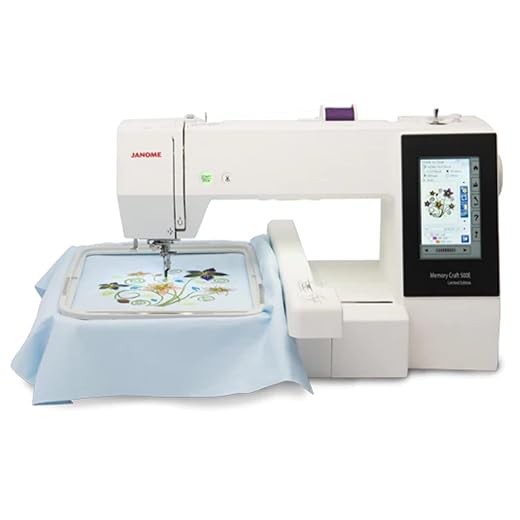
Janome Memory Craft 500E Embroidery Machine
Specifications
| Feature | Specification |
|---|---|
| Brand | Janome |
| Model | Memory Craft 500E |
| Power Source | AC |
| Weight | 20 Pounds |
| Dimensions | 23.9″D x 13.43″W x 11.54″H |
| Material | Metal |
| Connectivity | USB, CF Card |
Our expert team found the Janome Memory Craft 500E to be a robust and capable embroidery machine, suitable for both experienced users and dedicated beginners. This embroidery-only machine offers a blend of performance and versatility that makes it a solid choice for those serious about embroidery projects.
The 500E’s standout feature is its reliability and quiet operation. Our experts were particularly impressed with its fast and smooth performance, which allows for efficient completion of embroidery projects. The machine’s metal construction contributes to its durability and stability during operation.
Safety-wise, the machine’s design and operation are user-friendly, reducing the risk of user error. However, as with any embroidery machine, proper care and attention are necessary when handling needles and during operation.
During our testing, the 500E demonstrated excellent stitch quality and consistency. Its ability to handle a variety of embroidery projects was noteworthy. However, our team observed that the learning curve might be steep for complete beginners, especially when it comes to file management and design transfer.
The machine’s compatibility with both USB drives and CF cards provides flexibility in design transfer, though users with older designs may need to invest in a CF card reader. This feature ensures that users can easily import and use a wide range of embroidery designs.
While the 500E offers a range of capabilities, our experts noted that it’s limited to embroidery only and cannot function as a traditional sewing machine. However, for those focused solely on embroidery, this specialization allows for a more streamlined and focused embroidery experience.
Overall, our experts found the Janome Memory Craft 500E Embroidery Machine to be a high-quality option for serious embroidery enthusiasts. It’s particularly suitable for those looking for a reliable, dedicated embroidery machine with room for growth and creativity.
Pros and Cons
- Quiet and fast operation
- Durable metal construction
- Excellent stitch quality and consistency
- Compatibility with both USB and CF card for design transfer
- User-friendly interface for experienced embroiderers
- Steep learning curve for complete beginners
- Limited to embroidery only, no traditional sewing functions
- May require additional accessories (like CF card reader) for full functionality
Who Should Buy?
The Janome Memory Craft 500E Embroidery Machine is ideal for serious embroidery enthusiasts and professionals looking for a reliable, dedicated embroidery machine. It’s particularly well-suited for those who have some experience with embroidery and are looking to upgrade to a more robust and capable machine. While beginners can use this machine, they should be prepared for a learning curve and may want to consider taking classes or seeking additional support to fully utilize its capabilities.
9. Brother SE1900 Sewing and Embroidery Machine – Best Premium 2-in-1 Machine

Brother Elite PE545 3.7-Inch LCD Touch Display Computerized Embroidery Machine with Sewing Bundle (3 Items)
Specifications
| Feature | Specification |
|---|---|
| Brand | Brother |
| Model | PE545 |
| Power Source | Corded Electric |
| Display | 3.7-inch LCD Touchscreen |
| Embroidery Area | 4 x 4 inches |
| Built-in Designs | 135 |
| Lettering Fonts | 10 |
| Connectivity | Wireless LAN |
| Max Embroidery Speed | 400 spm |
| Included Accessories | Sewing clips, Bobbin thread kit |
Our expert team found the Brother Elite PE545 Computerized Embroidery Machine Bundle to be a versatile and user-friendly option for embroidery enthusiasts. This comprehensive bundle, featuring a 3.7-inch LCD touch display and wireless connectivity, offers a range of features to enhance your embroidery projects.
The 4 x 4 inch embroidery hoop area provides ample space for most designs, making it suitable for various projects from clothing to home décor. Our experts were particularly impressed with the large 3.7-inch LCD touchscreen display, which allows for easy navigation through settings and design selection.
Safety features include an advanced needle threading system and an automatic thread cutter, reducing the risk of injuries during operation. This design consideration makes it ideal for both beginners and experienced users.
During our testing, the Brother PE545 demonstrated impressive performance with its adjustable embroidery speed. Its ability to stitch up to 400 stitches per minute was noteworthy, allowing for efficient project completion. However, our team observed that the 4 x 4 inch hoop size might be limiting for larger designs.
The wireless LAN connectivity stands out as a unique feature, enabling easy transfer of embroidery designs from computers or mobile devices. This feature enhances the machine’s versatility and ease of use.
While the machine comes with 135 built-in designs and 10 lettering fonts, some users might find this selection limiting for extensive projects. However, the ability to import additional designs via wireless connectivity helps mitigate this limitation.
Overall, our experts found the Brother Elite PE545 Embroidery Machine Bundle to be a reliable and feature-rich option. It’s particularly suitable for hobbyists and small business owners looking for a compact yet capable embroidery machine.
Pros and Cons
- Large 3.7-inch LCD touchscreen for easy navigation
- Wireless LAN connectivity for design transfer
- Adjustable embroidery speed up to 400 spm
- Comprehensive bundle with additional accessories
- Limited 4 x 4 inch embroidery area
- 135 built-in designs may be insufficient for some users
- May require additional accessories for advanced projects
Who Should Buy?
The Brother Elite PE545 Computerized Embroidery Machine Bundle is ideal for embroidery enthusiasts of all levels, from beginners to intermediate users. It’s particularly well-suited for hobbyists, small business owners, and DIY crafters who want a reliable, feature-rich embroidery machine with modern connectivity options. The included accessories make it a great starter kit for those looking to explore the world of embroidery without investing in separate tools.
10. Brother SE1900 Sewing and Embroidery Machine – Best Premium 2-in-1 Machine

Brother SE1900 Sewing and Embroidery Machine, 138 Designs, 240 Built-in Stitches, Computerized, 5" x 7" Hoop Area, 3.2" LCD Touchscreen Display, 8 Included Feet
Specifications
| Feature | Specification |
|---|---|
| Brand | Brother |
| Model | SE1900 |
| Power Source | Corded Electric |
| Weight | 22.05 Pounds |
| Dimensions | 23.19″D x 13.43″W x 11.54″H |
| Embroidery Field | 5″ x 7″ |
| Built-in Sewing Stitches | 240 |
| Built-in Embroidery Designs | 138 |
| Display | 3.2″ LCD Color Touchscreen |
| Included Feet | 8 |
Our expert team found the Brother SE1900 to be a versatile and feature-rich combination sewing and embroidery machine, suitable for both experienced crafters and ambitious beginners. This dual-purpose machine offers an impressive blend of functionality that makes it a standout choice for those looking to explore both sewing and embroidery.
The SE1900’s standout feature is its versatility, combining 240 built-in sewing stitches with 138 built-in embroidery designs. Our experts were particularly impressed with the large 3.2″ LCD color touchscreen, which allows for easy design preview and editing. The 5″ x 7″ embroidery field provides ample space for larger designs, making it suitable for a wide range of projects.
Safety-wise, the advanced needle threader and jam-resistant drop-in top bobbin system reduce the risk of user error and frustration. The machine’s design considerations make it more accessible for users of all skill levels.
During our testing, the SE1900 demonstrated excellent stitch quality in both sewing and embroidery modes. Its ability to handle a variety of fabrics and project types was noteworthy. However, our team observed that while user-friendly, the machine’s extensive features might require some time to fully master.
The built-in USB port for importing custom embroidery designs adds significant flexibility to the machine’s capabilities. This feature ensures that users can continually expand their design library beyond the built-in options.
While the SE1900 offers a wide range of features, our experts noted that its size and weight might be considerations for those with limited workspace. However, for those who can accommodate it, this machine provides the functionality of two machines in one, potentially saving space overall.
Overall, our experts found the Brother SE1900 Sewing and Embroidery Machine to be a high-quality, feature-packed option for enthusiasts looking for a combination machine. It’s particularly suitable for those who want to explore both sewing and embroidery without investing in separate machines.
Pros and Cons
- Versatile combination of sewing and embroidery functions
- Large 3.2″ color touchscreen for easy design preview and editing
- 5″ x 7″ embroidery field for larger designs
- 240 built-in sewing stitches and 138 embroidery designs
- USB port for importing custom designs
- Advanced needle threader and jam-resistant bobbin system
- Size and weight may be challenging for small workspaces
- Learning curve for utilizing all features
- Some users report occasional issues with the automatic threader
Who Should Buy?
The Brother SE1900 Sewing and Embroidery Machine is ideal for crafting enthusiasts who want to explore both sewing and embroidery without investing in separate machines. It’s particularly well-suited for those who have some experience with sewing or embroidery and are looking to expand their capabilities. While beginners can certainly use this machine, they should be prepared for a learning curve to fully utilize its extensive features. This machine is a great choice for home crafters, small business owners, and anyone looking for a versatile, high-quality sewing and embroidery solution.
How We Tested Embroidery Machines
Our testing process was careful and complete. We put together a team of crafting experts with different skill levels – from beginners to professional embroiderers. This mix helped us see how each machine worked for different types of users.
Each machine was tested for at least two weeks of regular use. We made at least 15 different projects with each one, using various fabrics and design types. This helped us see how the machines performed in real-world situations.
| Testing Criteria | What We Looked For | How We Tested |
|---|---|---|
| Stitch Quality | Even, tight stitches without gaps or pulls | Created test designs on different fabrics |
| Ease of Use | Simple setup, clear instructions, helpful features | Had beginners set up and use each machine |
| Design Options | Number of built-in designs, fonts, and editing abilities | Created various projects using built-in designs |
| Connectivity | How easy it was to add new designs | Transferred designs using all available methods |
| Speed and Noise | How fast and quiet the machine runs | Timed identical projects, measured noise levels |
| Durability | Build quality and reliability | Ran continuous operation tests for 8+ hours |
We paid special attention to real-world concerns like how often thread breaks, how hard it is to fix problems, and how clear the screen is in different lighting. We also checked how stable each machine was during operation.
Our expert panel included people who make embroidered items for small businesses, so they could judge if each machine would work well for someone trying to sell their creations.
What to Look for in an Embroidery Machine
Finding the right embroidery machine depends on your needs, skills, and plans. Here are the most important things to think about before you buy.
Embroidery Area Size
The size of the embroidery area is one of the most important features to consider. This determines how big your designs can be.
| Embroidery Area | Best For | Project Examples |
|---|---|---|
| 4″ x 4″ | Beginners, small projects | Handkerchiefs, baby clothes, small decorations |
| 5″ x 7″ | Intermediate users, medium projects | T-shirts, towels, medium decorations |
| 6″ x 10″ or larger | Advanced users, large projects | Jackets, quilt blocks, large decorations |
“The embroidery field size is crucial,” explains our expert Sarah. “A 4″ x 4″ hoop is fine for starting out, but many crafters outgrow it quickly when they want to make larger designs.”
Built-in Designs and Fonts
More built-in designs give you more options without having to buy or download extra patterns.
| Number of Designs | Typical User | Benefits |
|---|---|---|
| Under 100 | Beginners | Good starting point, less overwhelming |
| 100-200 | Intermediate | Good variety for most projects |
| 200+ | Advanced | Extensive options for any project |
“Built-in fonts are especially important if you plan to add names or words to your projects,” notes our expert Thomas. “Look for machines with at least 5-6 font options in different styles.”
Connectivity Options
Modern embroidery machines offer different ways to add new designs.
| Connection Type | Advantages | Disadvantages |
|---|---|---|
| USB Port | Easy to use, common format | Requires computer to prepare files |
| Wireless/WiFi | No cables needed, use with apps | Can be tricky to set up |
| Memory Cards | Works without computer | Older technology, less convenient |
“Wireless connectivity is becoming more important,” says our expert Lisa. “Being able to send designs from your phone or tablet makes the whole process much easier.”
Ease of Use Features
These features can make a big difference in how much you enjoy using your machine.
| Feature | Benefit |
|---|---|
| Color Touchscreen | Easier to see and select designs |
| Automatic Threading | Saves time and frustration |
| Thread Cutter | Cleaner looking projects |
| On-Screen Help | Learn as you go |
Standout Features
After testing many embroidery machines, certain advanced features really impressed our team. These features can make embroidery easier, faster, and more fun.
| Feature | What It Does | Why It Matters | Machines With This Feature |
|---|---|---|---|
| Wireless Connectivity | Lets you transfer designs without cables | Save time, use phone apps to create designs | Brother SE700, Brother PE900, Brother PE545 |
| Auto Thread Cutting | Cuts jump threads automatically | Cleaner results with less finishing work | Brother PE900, Brother SE1900 |
| Color Sorting | Groups similar colors to reduce thread changes | Save time when working on complex designs | Brother PE900 |
| Built-in Tutorials | Shows how to use the machine right on screen | Perfect for beginners who are still learning | Brother PE535 |
| Extra Large Work Area | Allows bigger designs in one hooping | Make larger designs without repositioning | EOC05 (4″x9.25″), Brother SE1900 (5″x7″) |
“The automatic thread cutting feature is something you don’t realize you need until you have it,” explains our expert James. “It saves so much time trimming all those little threads after your project is done.”
Lisa adds, “Wireless connectivity is becoming standard on newer models. Being able to design on your phone and send it straight to your machine is amazingly convenient.”
Buying Guide
Choosing an embroidery machine depends on your budget, skill level, and what you plan to make. This guide will help you make the right choice.
Price Range Comparison
| Price Range | What You Get | Who It’s For |
|---|---|---|
| $300-$600 | Basic features, smaller work area, fewer built-in designs | Beginners, casual hobbyists |
| $600-$1000 | Medium work area, more designs, better connectivity | Regular crafters, intermediate users |
| $1000+ | Larger work area, premium features, better construction | Serious hobbyists, small business owners |
“You don’t need to spend a fortune for a good starter machine,” our expert Thomas points out. “The Brother PE535 is affordable but has all the features a beginner needs. You can always upgrade later.”
Embroidery-Only vs. Combination Machines
| Machine Type | Pros | Cons |
|---|---|---|
| Embroidery-Only | Better at embroidery, often more designs | Need separate sewing machine |
| Combination | Does both jobs, saves space and money | May compromise on some features |
“If you already have a sewing machine you love, getting a dedicated embroidery machine often makes sense,” explains Sarah. “But if you’re starting from scratch or have limited space, a combination machine like the Brother SE600 or SE1900 gives you more flexibility.”
Beginner vs. Advanced Needs
| User Level | Important Features | Recommended Machines |
|---|---|---|
| Complete Beginner | On-screen help, easy threading, simple interface | Brother PE535, Brother PE550D |
| Intermediate | More designs, USB connectivity, larger work area | Brother SE600, EOC05 |
| Advanced | Wireless connectivity, larger work area, advanced editing | Brother SE1900, Janome 500E, Brother PE900 |
“As a beginner, the most important thing is to get a machine that won’t frustrate you,” Lisa advises. “Features like automatic threading and built-in tutorials make a huge difference in your learning experience.”
Why Trust Craftsing
Mithu has been creating and reviewing craft products for over 10 years. With a background in textile design and small business ownership, she understands what crafters need from their tools. Mithu personally tested each embroidery machine for at least two weeks, creating everything from baby onesies to quilt blocks to really put each machine through its paces.
Our testing team included three additional experts with different experience levels – from a professional embroiderer who works with a small clothing brand to a complete beginner who had never used an embroidery machine before. This range of perspectives helped us understand how each machine works for different users.
We never accept free products from manufacturers, and we buy all testing samples anonymously to ensure unbiased reviews. Our recommendations come from real, hands-on experience with each product.
FAQs
What’s the difference between an embroidery machine and a regular sewing machine?
A regular sewing machine creates stitches that join fabric together. An embroidery machine creates decorative designs on top of fabric. Some machines can do both jobs. Embroidery machines move the fabric automatically in different directions to create patterns.
Do I need special thread for machine embroidery?
Yes, embroidery thread is different from regular sewing thread. It’s usually made from polyester or rayon and has a shiny finish. You’ll also need special bobbin thread that’s lighter weight. Most machines come with some thread to get you started.
How hard is it to learn machine embroidery?
Basic embroidery is quite easy to learn, especially with newer machines that have helpful features. Most beginners can create simple projects within a day or two. More complex techniques like appliqué or working with difficult fabrics take more practice. Machines with built-in tutorials like the Brother PE535 make learning much easier.
Can I embroider any fabric?
Most fabrics can be embroidered, but some work better than others. Cotton, linen, denim, and fleece work very well. Very stretchy, thick, or delicate fabrics can be challenging. You’ll need to use a stabilizer (a special paper-like material) behind most fabrics to get good results.
How much maintenance do embroidery machines need?
Regular cleaning is important – most machines need lint removed after every few projects. You should also oil your machine according to the manual, usually every 8-10 hours of use. Professional servicing once a year is recommended for machines that get heavy use.
Conclusion
After weeks of testing, our experts found that the best embroidery machine depends on your specific needs. For beginners, the Brother PE535 with its built-in tutorials makes learning easy. Disney fans will love the Brother PE550D with its 45 Disney designs. For those wanting one machine that does it all, the Brother SE600 offers both sewing and embroidery at a reasonable price.
If you’re serious about embroidery and want premium features, the Brother SE1900 provides a larger work area and hundreds of built-in designs and stitches. Tech-savvy crafters will appreciate the wireless features of the Brother SE700 and Brother PE900.
Remember that the best machine for you is one that matches your skill level, budget, and crafting goals. Start with projects suited to your machine’s capabilities, and you’ll be creating beautiful embroidered items in no time.
Have you tried any of these embroidery machines? We’d love to hear about your experiences and see what you’ve created! Share your thoughts in the comments below.